The tracker that runs itself.
You just do the work.
Horario watches the tools you already use, classifies every minute against the right client and project, and turns the result into a timesheet, a report, or an invoice. Without you opening a tracker.
Connect once
Add clients, projects and rates, and point simple rules at your world. The most specific rule wins — URL beats title beats app.
Work normally
Open Figma, hop on a call, switch to Linear, drift to research. Horario tracks the seams — on your device.
Confirm, then bill
Glance at the week, fix anything that looks off, confirm. Only confirmed time ever becomes an invoice.
Truly automatic.
Capture runs in the background — app, window, URL, idle state — and a transparent rules engine attributes every slice. No timer to forget, no black box.
See it, modify it, or ignore it.
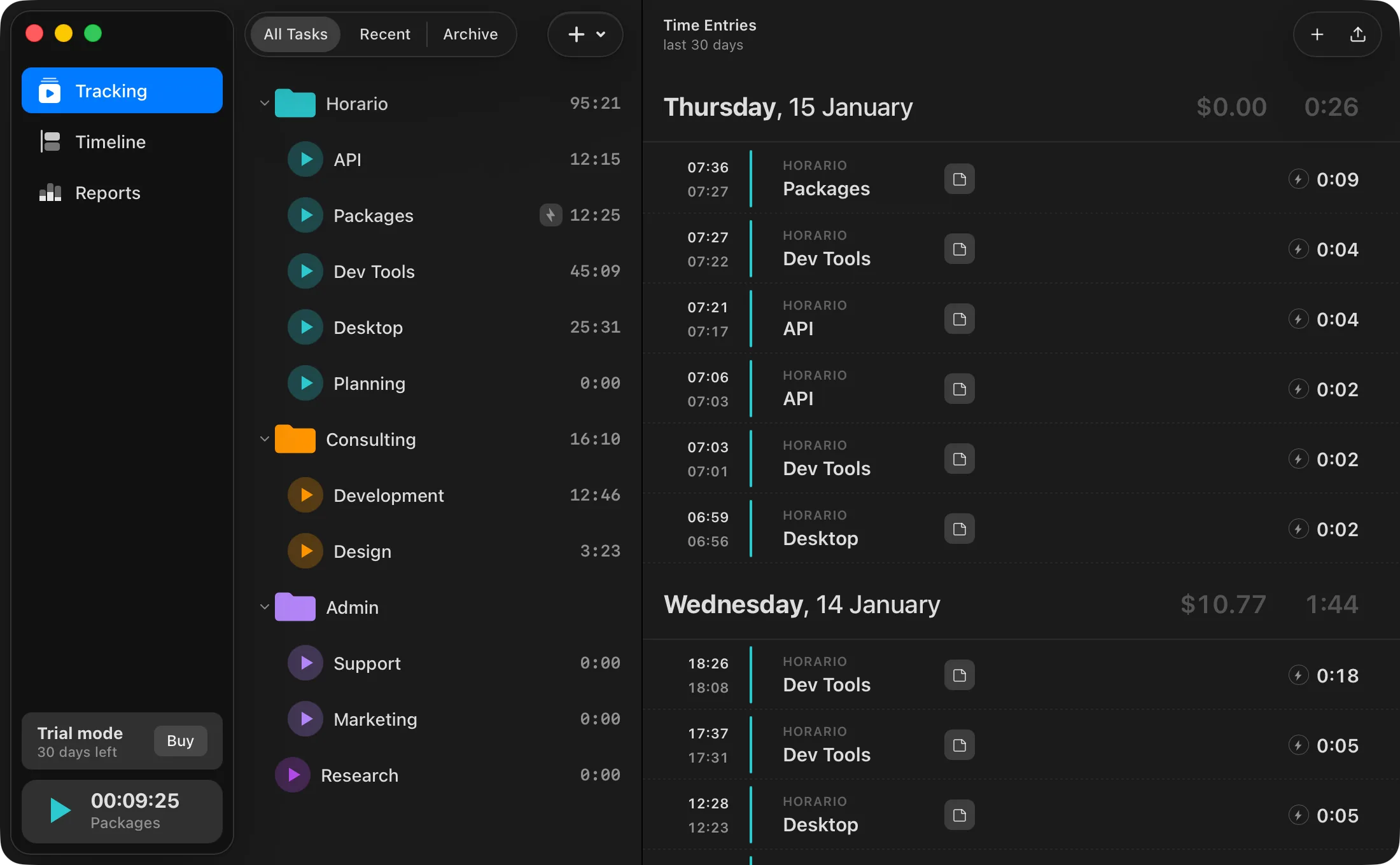
Folders for projects and activities. Review your week, tweak entries, or let Horario report automatically. Manual is still there. Nobody uses it after a week.
Billable hours → invoices.
Define your rates. Horario produces the invoice from real tracked work — numbered, VAT-aware, emailed as a PDF. You hit send. Done.
Private by design.
Your activity lives in a local database on your machine. Never keystrokes, never screenshots. Incognito windows are suppressed automatically.
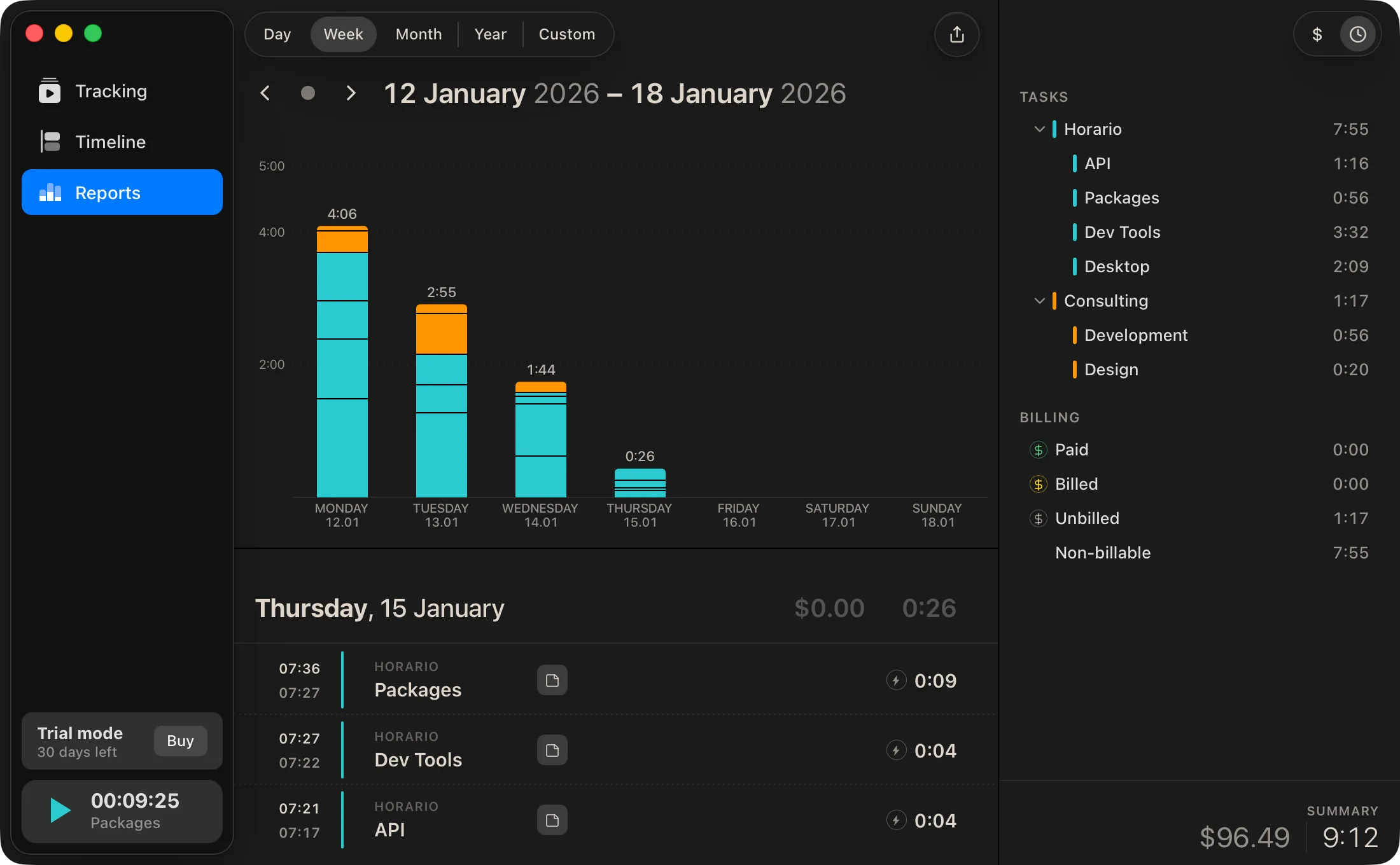
Billable, unbilled, earned — every view, already added up.
Switch between day, week, month, year or a custom range. Totals, per-task breakdowns and billing status stay in sync — nothing to reconcile by hand.
A rules engine you can argue with a client — and win.
Whatever your craft, attribution is deterministic and auditable: you can see — and edit — exactly why any slice of time landed where it did. No "trust me", no mystery AI bucket. No timer to forget.
- DesignersFigma · Linear · Notion · Slack · client docs · inspiration searches
- DevelopersIDE · GitHub · Stack Overflow · GPT · Jira · CI runs
- Video editorsPremiere · DaVinci · After Effects · Frame.io · proxies
- Copy & managersDocs · email threads · CRMs · 6,000+ apps in the index

Catch your creative bursts before they pass.coming soon
Know when and where you're most productive. Get suggestions on when to start a Focus Session. We mute notifications and set your team-chat status automatically.
- Auto-detect deep-work windows from your last 14 days
- Status + notifications handled across Slack, Teams, Discord
- Weekly retro in your inbox — opt out anytime
The board your clients actually open.
Every entry is sourced from real activity — not a memory of a Tuesday. The single-user board is in beta today; client sharing is coming soon — and when it lands, the conversation about "what was this hour?" stops happening.
Stop selling hours you can't remember.
Horario is in private beta. Solo and freelance seats ship first — teams follow in the next wave. Bring your stack; we'll bring the minutes back.